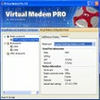
Create fast, reliable virtual modems over TCP/IP networks, replacing legacy serial hardware in automation environments
Create fast, reliable virtual modems over TCP/IP networks, replacing legacy serial hardware in automation environments
Vote (2 votes)
Program license Trial version
Developer Eltima
Version 3.0.3.129
Works under Windows
Vote
(2 votes)
Developer
Eltima
Works under
Windows
Program license
Trial version
Version
3.0.3.129
Pros
- Supports up to 255 virtual modems per machine
- Realistically emulates physical modem behavior and responses
- Works with existing legacy software without modification
- Significantly faster and more reliable than traditional phone lines
- Flexible configuration for client-server operation over IP networks
Cons
- Requires technical knowledge for initial configuration
- Both endpoints must have Virtual Modem PRO installed
- Single license only covers two computers
- Lacks a graphical configuration wizard for less technical users
Powerful tool for emulating hardware modems over IP networks using virtual serial ports.
Overview
Virtual Modem PRO provides a robust solution for users and organizations needing to replace traditional hardware modems with software-driven alternatives. By emulating standard modems and mapping them to virtual serial ports, the software transfers data using modern Ethernet infrastructures such as LAN, Internet, VLAN, and VPN, rather than relying on outdated telephone lines. This approach delivers significant improvements in both data speed and reliability.
Key Features
Emulation of Standard Modems:
Virtual Modem PRO fully emulates the operation of classic hardware modems, allowing legacy applications that expect a serial modem connection to work without modification. This makes it especially useful for automation, industrial control, banking, and retail management systems that depend on modem-based communications.
Virtual Serial Ports:
The software creates up to 255 virtual modems per system, each mapped to a discrete virtual serial port (COM port). These ports behave identically to their physical counterparts, supporting data transfer, control signals, and all standard modem commands.
Flexible Network Connectivity:
Connectivity is established over TCP/IP networks. One instance can act as a server, listening for connections, while another acts as a client to initiate calls. Configuration options allow users to specify the IP address or hostname, TCP port, and whether each virtual modem acts as a server or a client. This enables direct connections over virtually any IP network, including through VPN tunnels for added security.
Data Speed and Reliability:
Communications taking place over modern Ethernet connections benefit from improved speeds and the robust performance of the TCP/IP protocol, overcoming many limitations found in traditional telephone-based modem communications.
Configuration and Usability
Virtual Modem PRO’s setup process is straightforward for users familiar with serial ports and network configurations. Once installed, the program provides a clean interface for creating and configuring virtual modems. Establishing links between two systems requires installation on both endpoints, with specific settings for server and client operation.
The software ensures compatibility with software expecting to find a real modem, including support for standard AT commands and responses. This feature preserves compatibility with legacy applications and workflow automation systems.
Licensing
A single license permits installation and use on two systems within a network, catering to the typical client-server setup required for remote data exchange.
Performance
In operation, Virtual Modem PRO demonstrates stable and efficient data transfer, leveraging the high bandwidth and reliability of Ethernet and IP-based connections. Support for numerous simultaneous virtual modems per machine allows for scalable deployments in demanding environments.
Applications
Virtual Modem PRO is ideal for businesses and industries relying on legacy data collection or automation systems that are costly or impractical to replace. Use cases include manufacturing process monitoring, bank transaction processing, fiscal data reporting, and other scenarios where secure data exchange is essential.
Pros
- Supports up to 255 virtual modems per machine
- Realistically emulates physical modem behavior and responses
- Works with existing legacy software without modification
- Significantly faster and more reliable than traditional phone lines
- Flexible configuration for client-server operation over IP networks
Cons
- Requires technical knowledge for initial configuration
- Both endpoints must have Virtual Modem PRO installed
- Single license only covers two computers
- Lacks a graphical configuration wizard for less technical users